> For the complete documentation index, see [llms.txt](https://help.novatalks.com.ua/en/llms.txt). Markdown versions of documentation pages are available by appending `.md` to page URLs; this page is available as [Markdown](https://help.novatalks.com.ua/en/get-started/crm-light-version-guide/settings.md).
# Settings
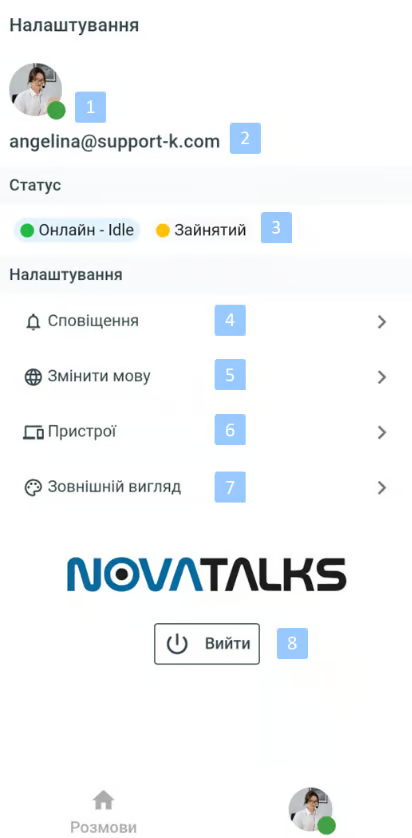
The **Settings** page displays:
1. Agent status indicator
* **Green** — Online
* **Yellow** — Busy
2. Agent name
3. Menu for changing agent status and substatus
* When **Online** is selected, the substatus is set automatically:
* **Idle** — agent is idle, no dialogue assigned
* **Interacting** — agent is working, at least one dialogue assigned
* When **Busy** is selected, a substatus reason for this status change must be chosen
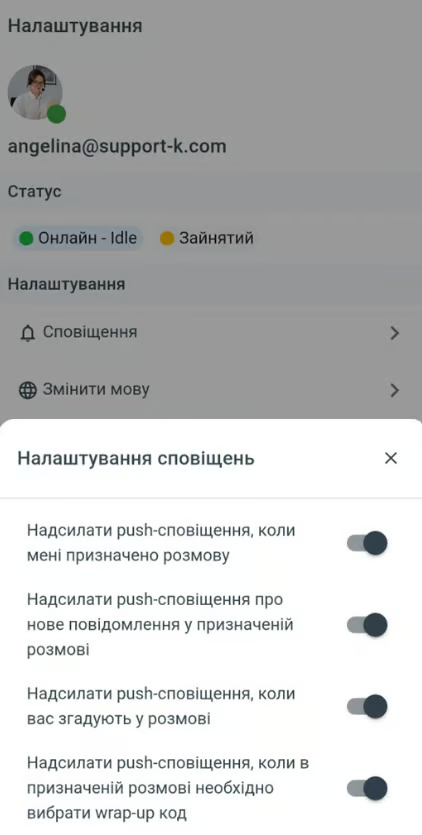
4. Notifications — menu for enabling/disabling notifications
5. **Change language** — menu for changing the interface language
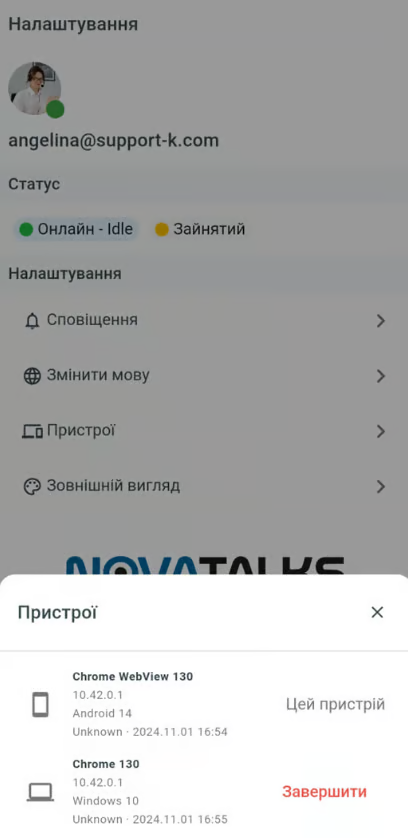
6. **Devices** — information about devices used to log in with this account, with the option to terminate unnecessary or suspicious sessions
7. **Appearance** — choose between light or dark interface theme
8. **Logout** — exit the system