# Contacts
**Contacts** is a section for managing NovaTalks contacts.
{% hint style="info" %}
A contact is created automatically when a customer reaches out to you. The customer card contains the basic information received during the contact (for example, when making a call - phone number, when contacting via messenger - the name in the messenger, and the ID). Then, the agent can add additional information and edit details about the contact.
{% endhint %}
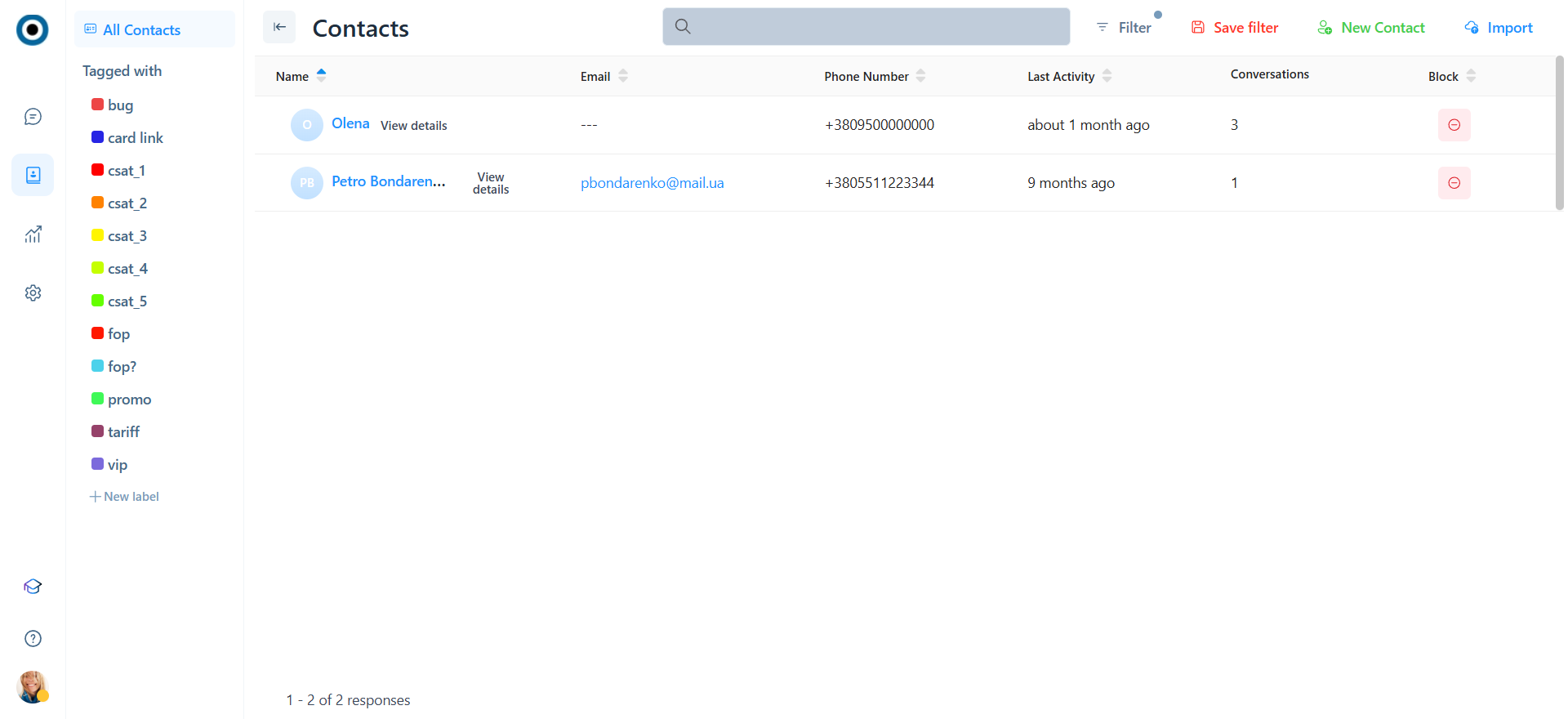
1. **Quick filter by labels**
2. **Full-text search** by Name, email, and phone number.
3. **Advanced filter**. A filter by the following parameters is available:
* Name
* Email
* Phone number
* Contact Id
* Created At
* Last Activity
* Labels
* Custom attributes
* Blocked
4. **List of contacts** that exist in the system, their details, recent activity, attached conversations, and contact status (blocked or not) with the ability to block/unblock.
5. **Create new contact**
{% hint style="warning" %}
Suppose you need to conduct an outbound interaction with a client who has not yet contacted NovaTalks. In that case, you must first create a new contact, add information about them, and click the New Dialog button on the customer card.
{% endhint %}
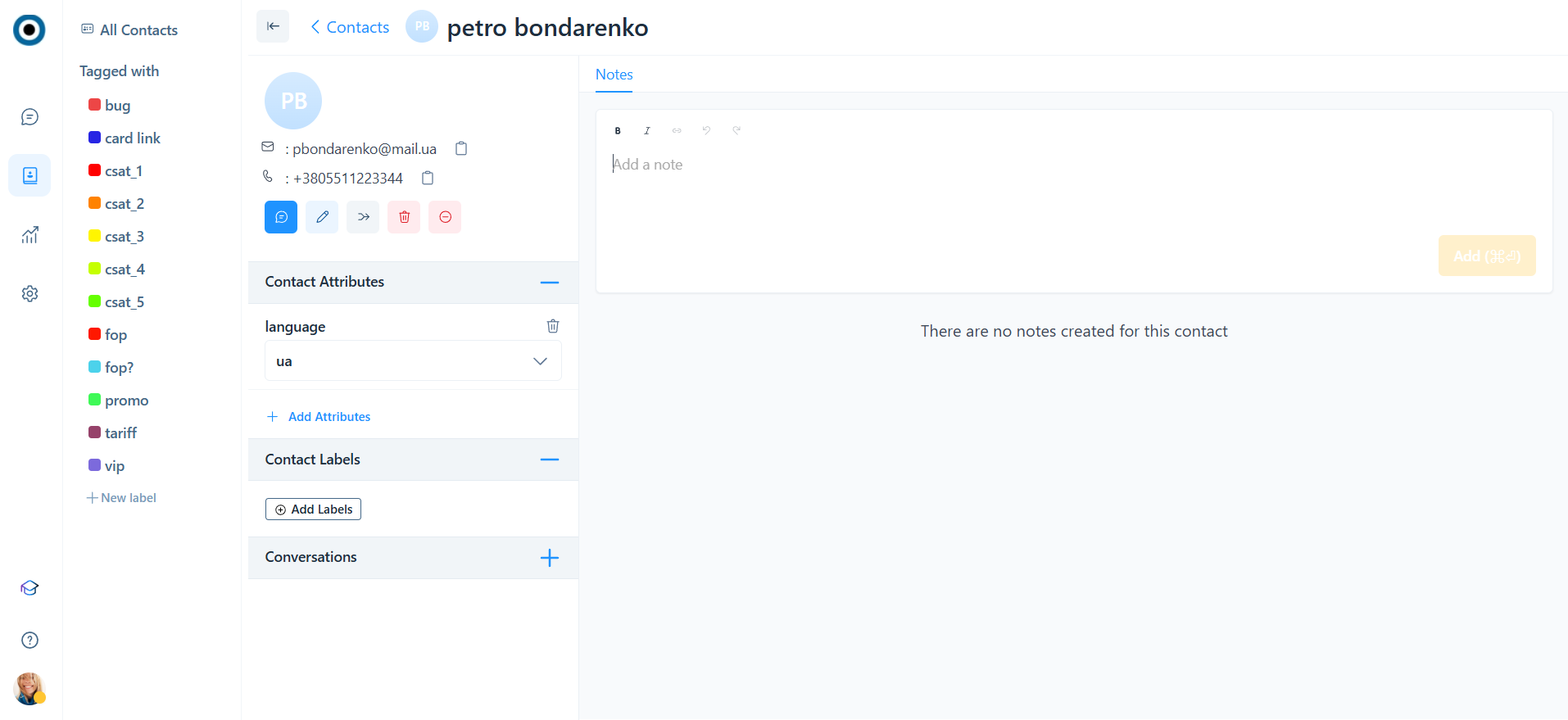
6. **View details and edit a contact**
* **Main contact details** - name, e-mail, and phone number.
* **New dialog** - this feature allows agents to initiate contact (write/call) with new customers (For more details - [New dialog](https://help.novatalks.com.ua/en/get-started/conversations/contact-card/new-dialog-from-a-contact)).
{% hint style="warning" %}
The option is available only if there is a channel from which you can write to a new client first (to do this, you need to activate the **Can write first to a new client** option in the [Inbox](https://help.novatalks.com.ua/en/settings/inboxes/api#main-settings) settings).
For Inboxes with the Call and Email conversation types, this option is enabled by default.
{% endhint %}
* **Edit contact**
* **Merge contacts** - allows you to combine two contacts into one. For example, if the same client contacted you from different messengers. When merging, the second contact will be deleted and both conversations will be displayed for the first contact.
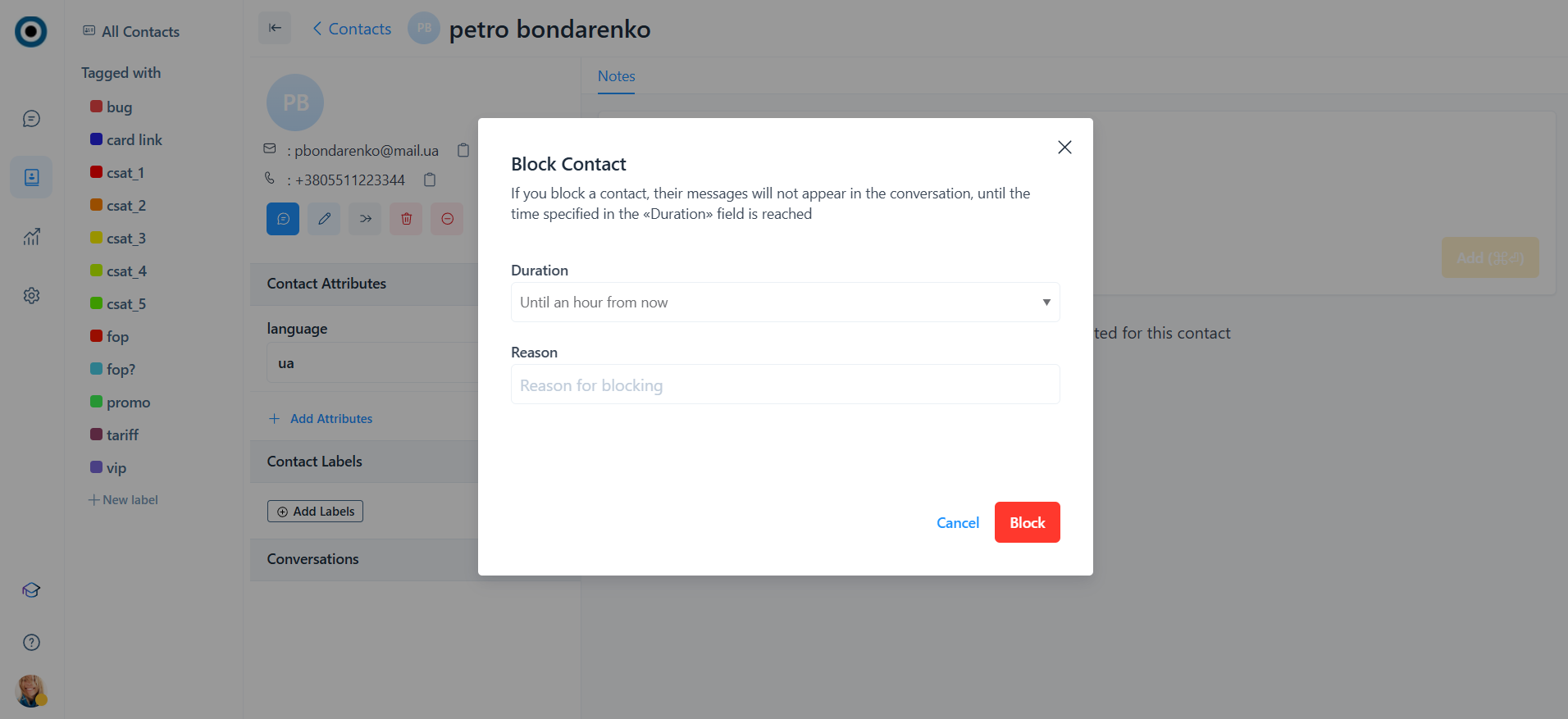
* **Block contact** - allows you to block a contact for a specified time. If you try to write to this contact in any of their conversations, the message will not reach NovaTalks. At the same time, the agent can write to the contact (but if the client replies, the message will not reach NovaTalks).
When calling the Block function, you must select:
2.1. Duration:
* Untill an hour from now
* Until tomorrow
* Until next week
* Until next month
* Forever
* Select time
2.2. Reason (optional)
* **Contact attributes** - a section with existing contact attributes and the ability to assign new ones. In addition to custom attributes, this section displays the system attributes of the contact:
Language - a customer interaction language selected in the chatbot or set by an agent.
* **Contact labels**. A contact can have 1, several, or no labels attached.
* **Conversations** - a section with a list of all conversations of this contact within other channels.
* **Notes**
---
# Agent Instructions: Querying This Documentation
If you need additional information that is not directly available in this page, you can query the documentation dynamically by asking a question.
Perform an HTTP GET request on the current page URL with the `ask` query parameter:
```
GET https://help.novatalks.com.ua/en/get-started/contacts.md?ask=
```
The question should be specific, self-contained, and written in natural language.
The response will contain a direct answer to the question and relevant excerpts and sources from the documentation.
Use this mechanism when the answer is not explicitly present in the current page, you need clarification or additional context, or you want to retrieve related documentation sections.